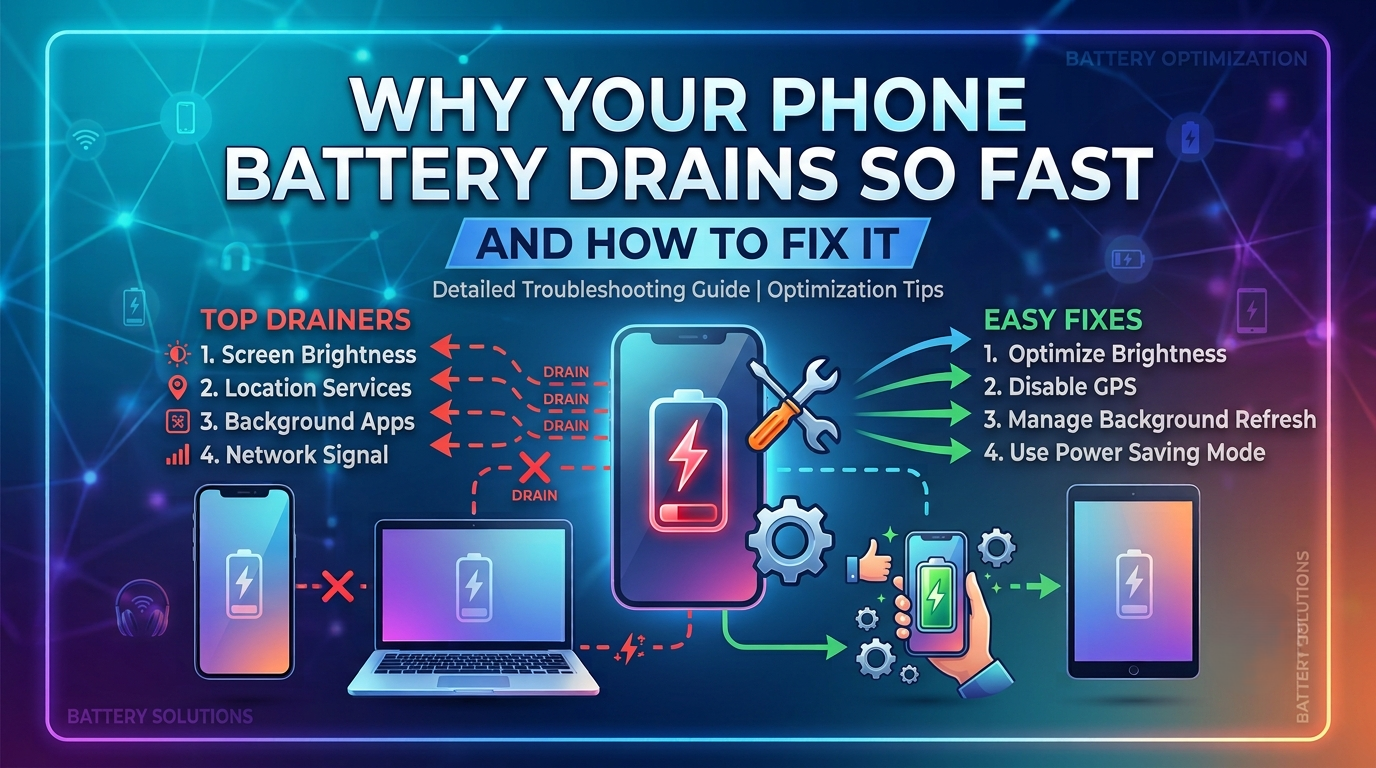
A smartphone with poor battery life can be frustrating, especially when it runs out of power during important calls, meetings, navigation, or travel. While all rechargeable batteries lose capacity over time, excessive battery drain is often caused by settings, apps, or usage habits rather than a faulty battery.
Whether you use an Android phone or an iPhone, there are several proven ways to improve battery life without replacing your device.
This guide explains the most common causes of fast battery drain and provides practical solutions to help your phone last longer on a single charge.
Common Signs of Fast Battery Drain
Your phone may have a battery problem if you notice any of these symptoms:
Common Symptoms
- Battery percentage drops quickly
- Phone becomes hot during normal use
- Battery drains even when the phone is idle
- Frequent charging is required throughout the day
- Battery health decreases rapidly
- Apps consume unusually high battery power
Recognizing these signs can help you identify the source of the problem.
1. Check Battery Usage
The first step is to see which apps are using the most power.
On Android
- Open Settings
- Tap Battery
- Select Battery Usage
On iPhone
- Open Settings
- Tap Battery
- Review Battery Usage by App
If one app is using an unusually high percentage of battery, consider updating, limiting, or removing it.
2. Reduce Screen Brightness
The display is one of the biggest battery consumers.
Tips
- Lower brightness manually.
- Enable Auto-Brightness or Adaptive Brightness.
- Reduce screen timeout to 30–60 seconds.
Lower brightness can noticeably extend battery life.
3. Enable Battery Saver Mode
Both Android and iPhone include battery-saving features.
Benefits
- Reduces background activity
- Limits visual effects
- Optimizes performance
- Extends battery life during low charge
Use Battery Saver when your battery is running low or when you expect to be away from a charger.
4. Close or Restrict Background Apps
Many apps continue running even after you’ve finished using them.
Examples
- Social media apps
- Messaging services
- Navigation apps
- Music streaming apps
Restrict unnecessary background activity to reduce battery usage.
5. Turn Off Unused Features
Wireless connections consume power even when idle.
Disable When Not Needed
- Bluetooth
- GPS (Location Services)
- Wi-Fi
- Mobile Hotspot
- NFC
Turning off unused features can significantly reduce battery drain.
6. Keep Your Software Updated
Operating system updates often include battery optimization improvements.
Update
- Android
- iOS
- Installed applications
Keeping your software up to date helps improve efficiency and fix battery-related bugs.
7. Remove Unused Apps
Some applications constantly run background processes.
Uninstall Apps That
- You no longer use
- Consume excessive battery
- Duplicate other apps
Fewer installed apps generally mean less background activity.
8. Reduce Notifications
Every notification wakes your phone’s screen and processor.
Disable Notifications For
- Shopping apps
- Games
- Promotional apps
- Unnecessary social media alerts
Reducing notifications helps conserve battery throughout the day.
9. Use Dark Mode (When Available)
Phones with OLED or AMOLED displays can save battery by using dark themes.
Enable Dark Mode
- Android: Settings → Display
- iPhone: Settings → Display & Brightness
Dark Mode also reduces eye strain in low-light environments.
10. Check Battery Health
A worn-out battery naturally holds less charge.
Android
Some manufacturers include a battery health feature in Settings.
iPhone
Go to:
Settings → Battery → Battery Health & Charging
If battery health is significantly reduced, replacing the battery may improve performance.
11. Avoid Extreme Temperatures
High and low temperatures affect battery performance.
Best Practices
- Avoid leaving your phone in direct sunlight.
- Do not charge under pillows or blankets.
- Keep your device in moderate temperatures whenever possible.
Excessive heat can permanently reduce battery capacity.
12. Use the Original Charger
Low-quality chargers may damage the battery over time.
Recommended
- Original charger
- Certified replacement charger
- Quality charging cable
Reliable charging accessories help maintain long-term battery health.
13. Restart Your Phone Regularly
A simple restart clears temporary processes and refreshes the operating system.
Benefits
- Stops unnecessary background tasks
- Improves system performance
- Resolves temporary software glitches
Restarting your phone once every few days is a good maintenance habit.
14. Reset Settings (If Necessary)
If battery drain started after changing settings or installing updates, resetting system settings may help.
Important
A settings reset does not usually erase your personal files, but you may need to reconfigure Wi-Fi and other preferences afterward.
15. Replace the Battery When Needed
Rechargeable batteries wear out over time.
Consider Replacement If
- Battery health is very low
- The phone shuts down unexpectedly
- Charging becomes inconsistent
- Battery drains extremely quickly despite troubleshooting
Replacing the battery is often much more affordable than buying a new phone.
Tips to Improve Battery Life Every Day
Adopt these habits to extend battery life:
- Charge before the battery reaches 0% regularly.
- Avoid keeping the battery at 100% all day.
- Use Battery Saver when appropriate.
- Keep software updated.
- Reduce screen brightness.
- Limit background activity.
- Use Wi-Fi instead of mobile data when available.
- Keep your phone cool.
Consistent maintenance helps preserve battery health over time.
Frequently Asked Questions
Why is my phone battery draining overnight?
Background apps, poor network signals, automatic updates, and location services can cause battery drain even when the phone is not in active use.
Does Dark Mode save battery?
Yes. On phones with OLED or AMOLED displays, Dark Mode can reduce power consumption because black pixels require less energy.
Is it bad to charge my phone overnight?
Modern smartphones automatically stop charging when the battery reaches full capacity. However, keeping the battery at 100% continuously may contribute to long-term battery wear.
When should I replace my phone battery?
If your phone no longer lasts through normal daily use, shuts down unexpectedly, or reports poor battery health, replacing the battery is often the best solution.
Conclusion
Fast battery drain is usually caused by power-hungry apps, high screen brightness, background activity, outdated software, or an aging battery. By monitoring battery usage, adjusting settings, updating your device, and following good charging habits, you can significantly improve battery life on both Android and iPhone. If your battery continues to perform poorly after trying these solutions, a battery replacement may restore your phone’s original performance.