
In today’s digital world, protecting your computer system from viruses has become more important than ever. As technology continues to grow, so do cyber threats that target personal devices, businesses, and online accounts. Computer viruses can damage files, slow down performance, steal sensitive information, and even cause complete system failure in severe cases. Because people now rely heavily on computers, smartphones, and the internet for communication, work, education, and entertainment, securing systems from viruses is essential for maintaining privacy, safety, and smooth performance. Understanding how viruses spread and how to prevent them is the first step toward building strong digital security.
One of the most important ways to protect your system is by installing reliable antivirus software. Antivirus programs are designed to detect, block, and remove harmful files before they can damage your device. Modern antivirus tools continuously scan your system in real time, ensuring that suspicious activity is detected immediately. Many antivirus programs also offer additional features such as firewall protection, web browsing safety, and email scanning. Keeping antivirus software updated is equally important because new viruses are created every day, and updates help the software recognize and stop the latest threats effectively.
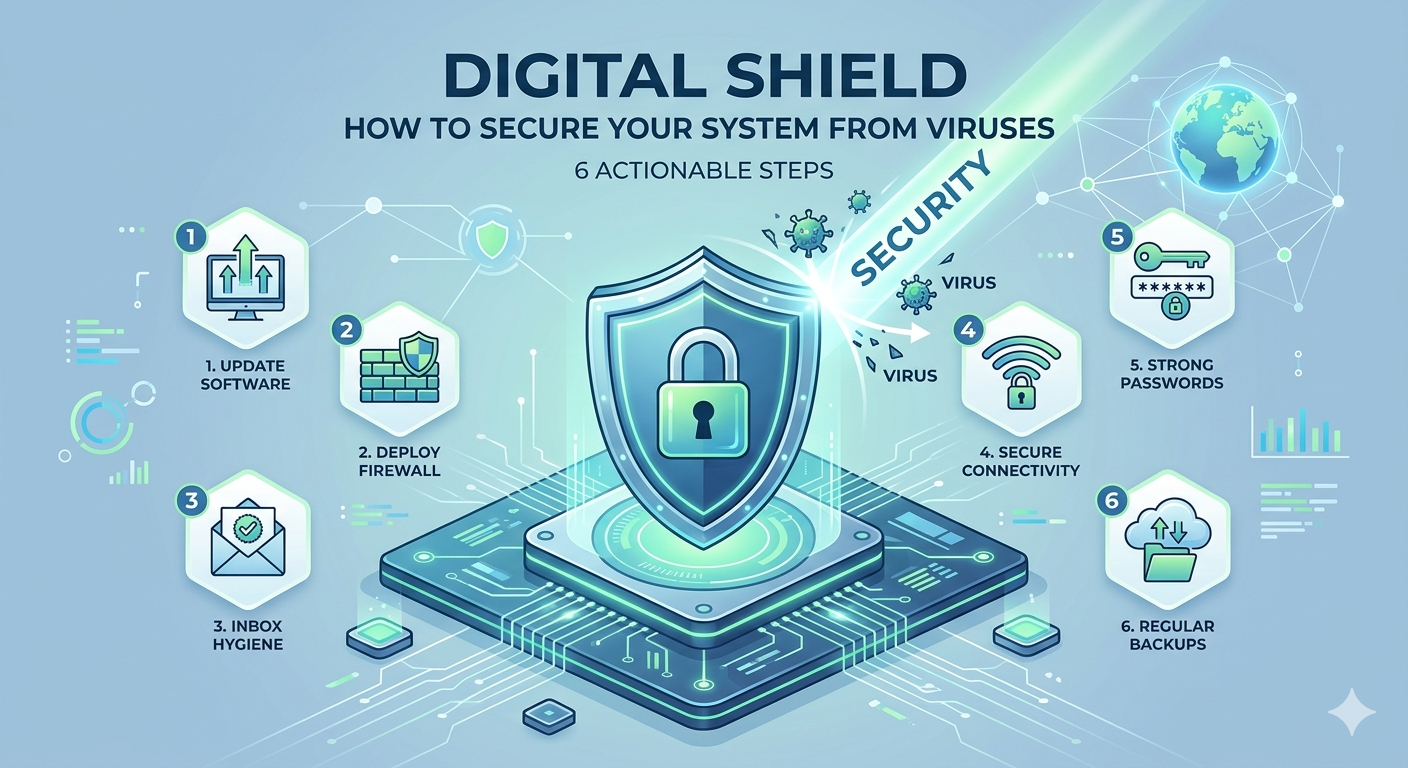
Keeping your operating system and applications updated is another crucial step in virus protection. Software developers regularly release updates to fix security vulnerabilities that hackers may exploit. If your system is not updated, it becomes easier for viruses and malware to enter through weak points in the software. Automatic updates are highly recommended because they ensure that your system always has the latest security patches. Whether it is Windows, macOS, or mobile operating systems, regular updates play a key role in maintaining a secure digital environment.
Safe internet browsing habits are also essential for preventing viruses. Many viruses spread through malicious websites, unsafe downloads, and fake advertisements. Users should avoid clicking on unknown links, suspicious pop-ups, or unverified emails. It is important to only download software and files from trusted sources and official websites. Phishing websites often look real but are designed to steal personal information or install harmful programs. Being cautious while browsing and verifying website authenticity can significantly reduce the risk of virus infections.
Email security is another important aspect of protecting your system. Many viruses spread through email attachments or links sent by unknown senders. Cybercriminals often use fake emails that appear to be from trusted companies or organizations to trick users into clicking harmful content. It is important not to open attachments or links unless you are sure they are safe. Most email services now include spam filters that automatically detect suspicious messages, but users must still remain careful and alert to avoid falling victim to phishing attacks.
Using strong passwords and enabling authentication features can also improve system security. Weak passwords are easy targets for hackers who use automated tools to guess login credentials. Strong passwords should include a mix of letters, numbers, and special characters and should not be reused across multiple accounts. Two-factor authentication adds an extra layer of security by requiring a second verification step, such as a code sent to your phone. This makes it much harder for unauthorized users to access your system or accounts even if they obtain your password.
Another effective way to secure your system is by using a firewall. A firewall acts as a barrier between your device and the internet, controlling incoming and outgoing network traffic. It helps block unauthorized access and prevents harmful data from entering your system. Most operating systems come with built-in firewalls that should always be kept enabled. For additional protection, many users also install advanced firewall solutions that offer more detailed control over network activity and security settings.
Regular data backups are also important in case your system becomes infected. Even with strong protection, no system is completely immune to viruses. Backing up important files to external drives or secure cloud storage ensures that your data can be recovered if something goes wrong. In case of a virus attack, backups can help restore your system without losing important documents, photos, or work files. Creating a routine backup schedule is a simple but powerful step in maintaining digital safety.
Avoiding the use of pirated software is another important security measure. Illegal or cracked software often contains hidden malware or viruses that can harm your system without your knowledge. These programs bypass official security checks and may create serious vulnerabilities. Using licensed and trusted software ensures that your system remains protected and receives regular updates from developers. Investing in genuine software is a key part of maintaining long-term system security.
In conclusion, securing your system from viruses requires a combination of tools, awareness, and good digital habits. Antivirus software, regular updates, safe browsing practices, strong passwords, firewalls, and data backups all work together to protect your device from threats. While cyber risks continue to evolve, users who stay informed and cautious can significantly reduce their chances of infection. In the modern digital age, cybersecurity is not just an option but a necessity for protecting personal data, privacy, and overall system performance.